Supahelp markSupahelp wordmark
PricingBlogSign inStart for free

Modern help center & support management platform for SaaS products

We make customer support super easy.
Save your time from support requests.
Start for freeSee demo
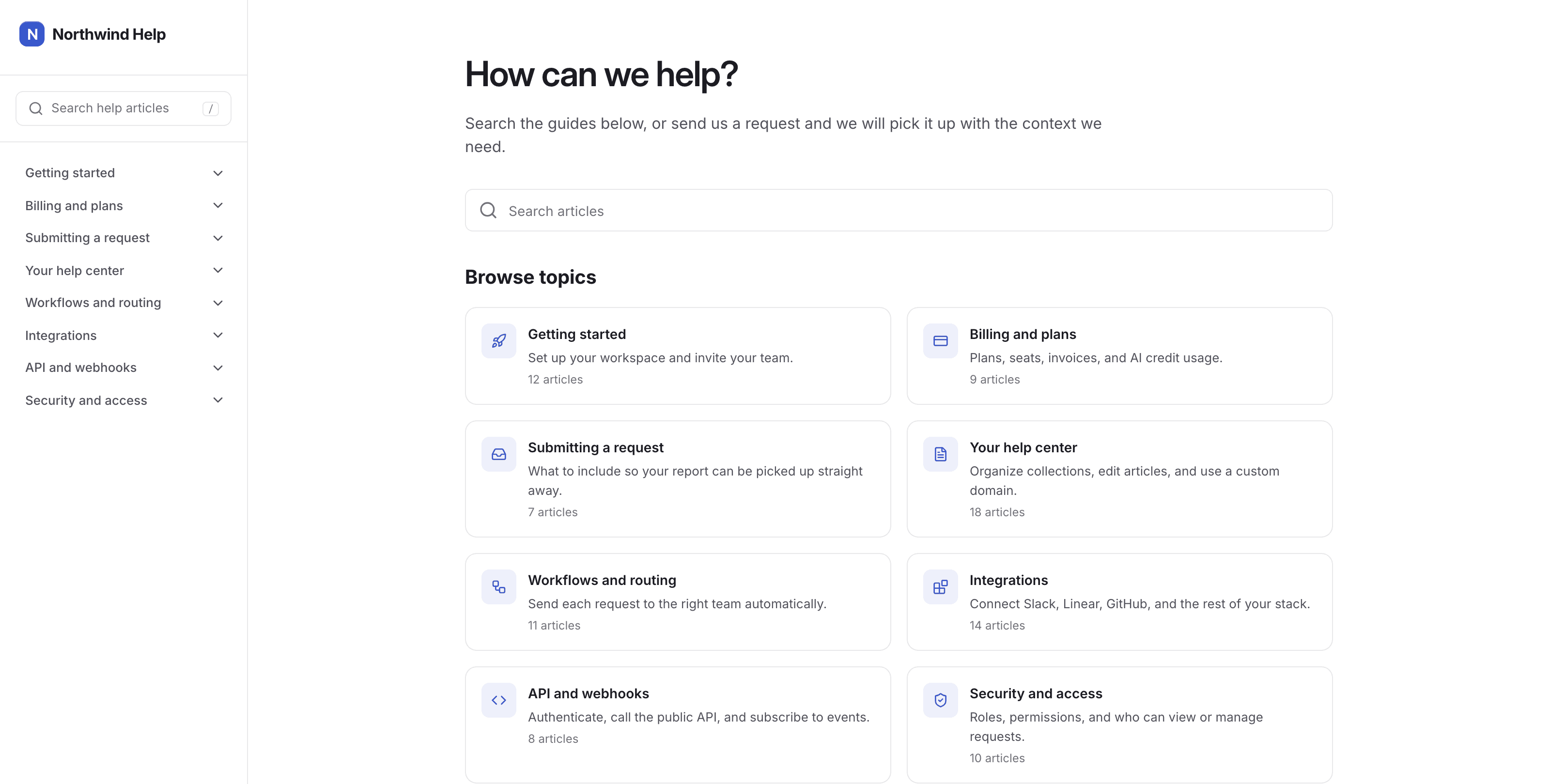
Supahelp help center home page with a grouped navigation rail and browsable topics

Everything you need

Stop juggling separate tools for customer support.supahelp brings everything you need for support.

Help center article with a table of contents and a grouped navigation rail

Knowledge Base

Make all your public knowledge searchable

Provide a clear and organized knowledge base for your customers.

Request intake asking the customer to pick a request type before answering follow-up questions

Support Request

Collect the request details you need upfront

Customize request forms for your customers to fill out, so your team doesn't have to chase details.

Support request grouped into new, in progress, and in review

Management

Manage requests in one place

Stop using email for support requests and manage them in one place.

Why Supahelp

Stop answering the same questions.Answer each question once. supahelp helps you answer the next.

Customers search your help center first. When they still need you, a request form asks for the details you need. Everything lands in one place. Set it up in an afternoon, with no developer.

Getting started

Get started in three steps.Your help center can be live under 10 minutes.

Step 1

Create your workspace

Sign up, add your team name, and choose the help center address your customers will use.

Step 2

Publish your first article

Write the answer to a common question, put it in a category, and publish it.

Step 3

Link it from your website

Add a link in your product or website navigation so customers can find answers when they need them.

Frequently asked questions

What is Supahelp?

Supahelp is a help center and customer support platform for SaaS teams. Customers find answers for their questions from your knowledge base, every support request arrives with the sufficient context your team needs, and your team can manage requests all in a single platform, with zero engineering effort required.

Can I import my existing help center articles or knowledge base pages?

Yes. Bring your existing articles over, then organize and refine them in the same place your team manages customer requests. You can upload PDF (.pdf), Word (.docx), and text (.txt) files. We plan to support more sources.

Can I use a custom domain for my help center?

Yes. You can use your own domain for your help center so it feels like part of your product.

How do customers submit bug reports?

In knowledge base, customers can submit help request via 'Request for Help' button located at the bottom of the navigation panel.

Is my customer support data secure?

Supahelp is designed to keep each workspace separate and access-controlled. Other workspace owners cannot see your workspace or your customers' requests.

Do I need a developer to set up a help center?

No. Support and product teams can launch and maintain the help center themselves, without waiting on engineering.

Fewer repeat tickets

Start reducing your support requests today.

Publish answers your customers can find before another ticket reaches your team.

Supahelp markSupahelp footer wordmark

Help customers find answers and help your team manage every request with context.

Summarize this page

ChatGPTClaudePerplexity

Features

  • Knowledge Base
  • Support Request
  • Management

Alternative to

  • Intercom
  • Helpjuice
  • HelpKit
  • Help Scout
  • InstantDocs

Resources

  • Blog
  • Help center

Company

  • Pricing
  • Contact us
  • Privacy Policy
  • Terms of Service

© 2026 Supahelp. All rights reserved.